 HiWord.AI
Play & learn · 01
WordStrike: turn familiar words into quicker recognition
One word, a few plausible choices and a little time pressure. WordStrike helps you notice the difference between recognising a word and recognising the answer when you see it.
- Web + in the iOS app
- English–Chinese vocabulary
- Easy / Normal / Fast
The short answer
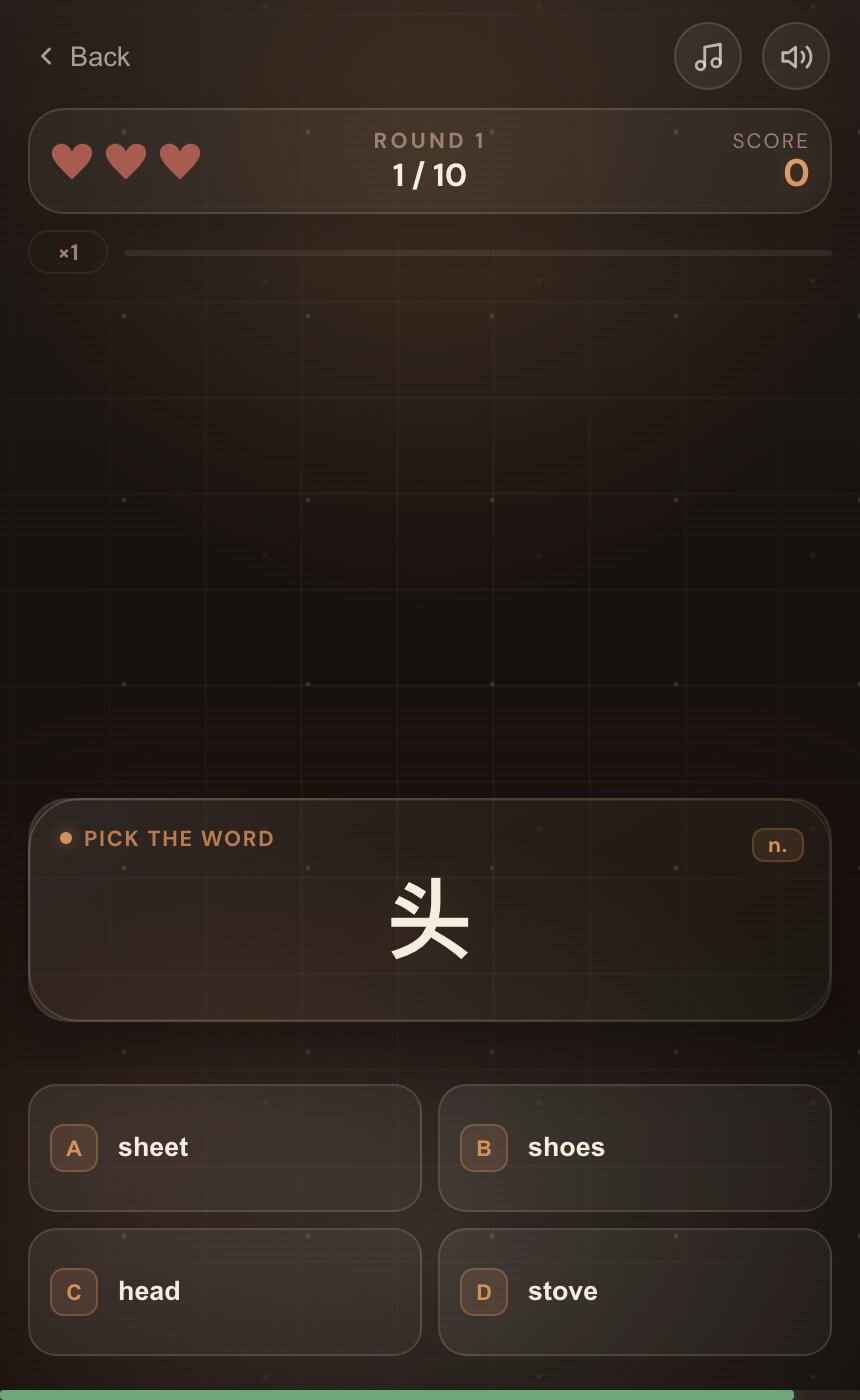
WordStrike is HiWord’s timed vocabulary choice game. Match an English word to its Chinese meaning, or a Chinese meaning to an English word, with up to four choices. Use it to check word recognition, then revisit missed words and recall them without the options. A short sentence of your own turns that review into practice using the word.
How do you play WordStrike?
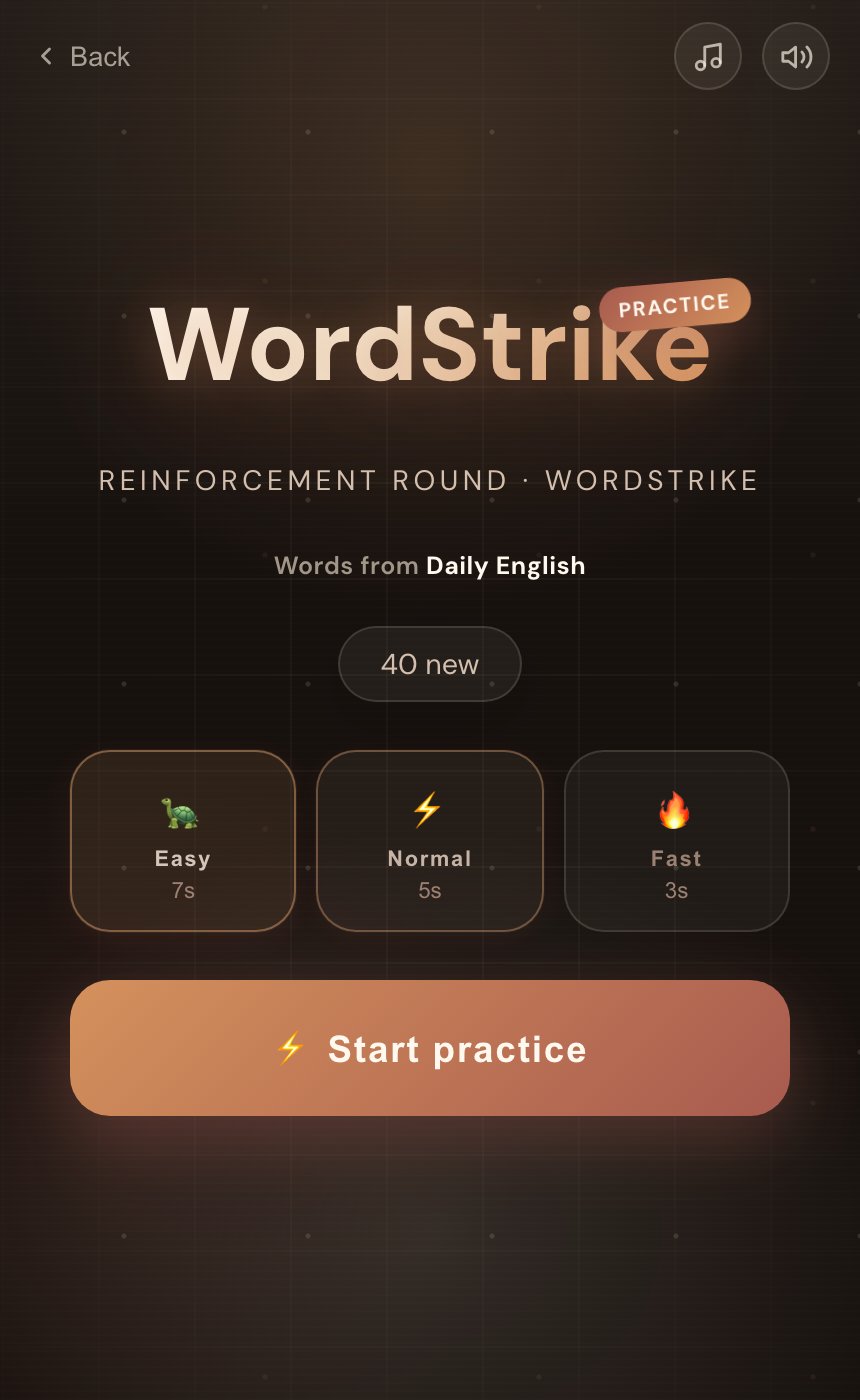
- Check your wordbook.The game uses the wordbook currently selected in HiWord. To change to Daily English, KET or workplace vocabulary, return to the learning home first.
- Start on Easy.Easy, Normal and Fast begin with 7, 5 and 3 seconds per question. The answer window gradually shortens as rounds and combos progress; these are starting times, not a fixed duration for the whole game.
- Read the direction.Some questions ask for the Chinese meaning of an English word. Others ask for the English word that matches a Chinese meaning. There are normally four choices, with fewer when the wordbook cannot supply enough distinct answers.
- Build a run of correct answers.Each round contains 10 questions. A wrong answer or timeout costs a life and breaks the combo. The game ends when all three lives are gone.
- Read the results.The finish screen shows correct answers, accuracy, best combo and words to review. On desktop, A–D or 1–4 also select the answers.
Where do the words come from?
WordStrike prioritises words you are currently learning in your selected wordbook, then words you have studied, and finally upcoming words. Distractors come from the same wordbook. The game is connected to your learning material rather than drawing indiscriminately from every available list.
That also means an unfamiliar word is not automatically evidence that you forgot something. It may be a word you have not studied yet. Check the pool summary on the start screen, and use unfamiliar items as a prompt to return to the learning material.
What does it practise—and what does it leave out?
The immediate task is recognising a connection between a word and a meaning.You have to distinguish a plausible answer from distractors. The timer can make hesitation more noticeable, but slow responses can also reflect reading speed or the controls.
A useful step after choosing correctly
You see borrow and select its meaning. Afterwards, hide the choices. Explain the difference between borrow and lend, then say: “Can I borrow your charger?”
Choosing among options, recalling a word without help and using it in conversation are different tasks. A good choice-game score does not establish that all those words are available to you in spontaneous speech.
Karpicke and Roediger’s foreign-vocabulary experiment found benefits of repeated retrieval for delayed recall. This supports trying to recall words after a game; it does not establish the effectiveness of HiWord’s timed game itself. See the research reference.
How can a game become a useful review?
Learn → play → recall → use
- Study a small set of flashcards or finish a practice session.
- Play a short stretch on Easy, noticing words that make you hesitate.
- Choose a few missed words and revisit their meanings and examples.
- Hide the answers, recall each meaning and make a sentence of your own.
- Return to those words through your normal review schedule.
If you are mostly guessing, stop the round and return to the cards. Try a faster setting once you can read and consider most questions. Accuracy within a similar wordbook and difficulty is more informative than comparing scores across different settings.
Which HiWord game should you choose?
| Game | Main action | Useful moment |
|---|---|---|
| WordStrike | Match words and meanings in fixed choices | After a vocabulary session |
| Meteor | Find a matching meaning among moving choices | When you want a different attention challenge |
| You Describe, AI Guesses | Explain an object using your own English clues | When you want to practise expression; currently on iOS |
Common questions
Does WordStrike only use words I have already studied?
No. It uses the selected wordbook, prioritising words in progress, followed by previously studied and upcoming words. If there are too few playable words, choose a wordbook with available content on the learning home.
Does my score measure vocabulary size or English proficiency?
No. Difficulty, speed, combos and the questions affect the score. Treat it as performance in a particular game, not a vocabulary-size test or a speaking level.
Do I still need spaced review after answering correctly?
Yes. A correct answer with choices is not proof of lasting mastery. Continue your normal reviews and try recalling and using the word without options.
Sources and editorial note
Karpicke & Roediger (2008), Science. DOI: 10.1126/science.1152408. Background on retrieval practice, not an evaluation of this game.
Rules checked against the HiWord implementation on October 25, 2026. Web images show actual local gameplay; the iOS image shows a demonstration round rendered by the app. Learning suggestions describe practice methods, not validated product outcomes. Written by the HiWord team.
Finish with one word you can recall and use on your own.
Play a little, then return to learning with one specific thing to work on.
Play WordStrike