 HiWord.AI
Play & learn · 02
Meteor: catch the meaning before it falls
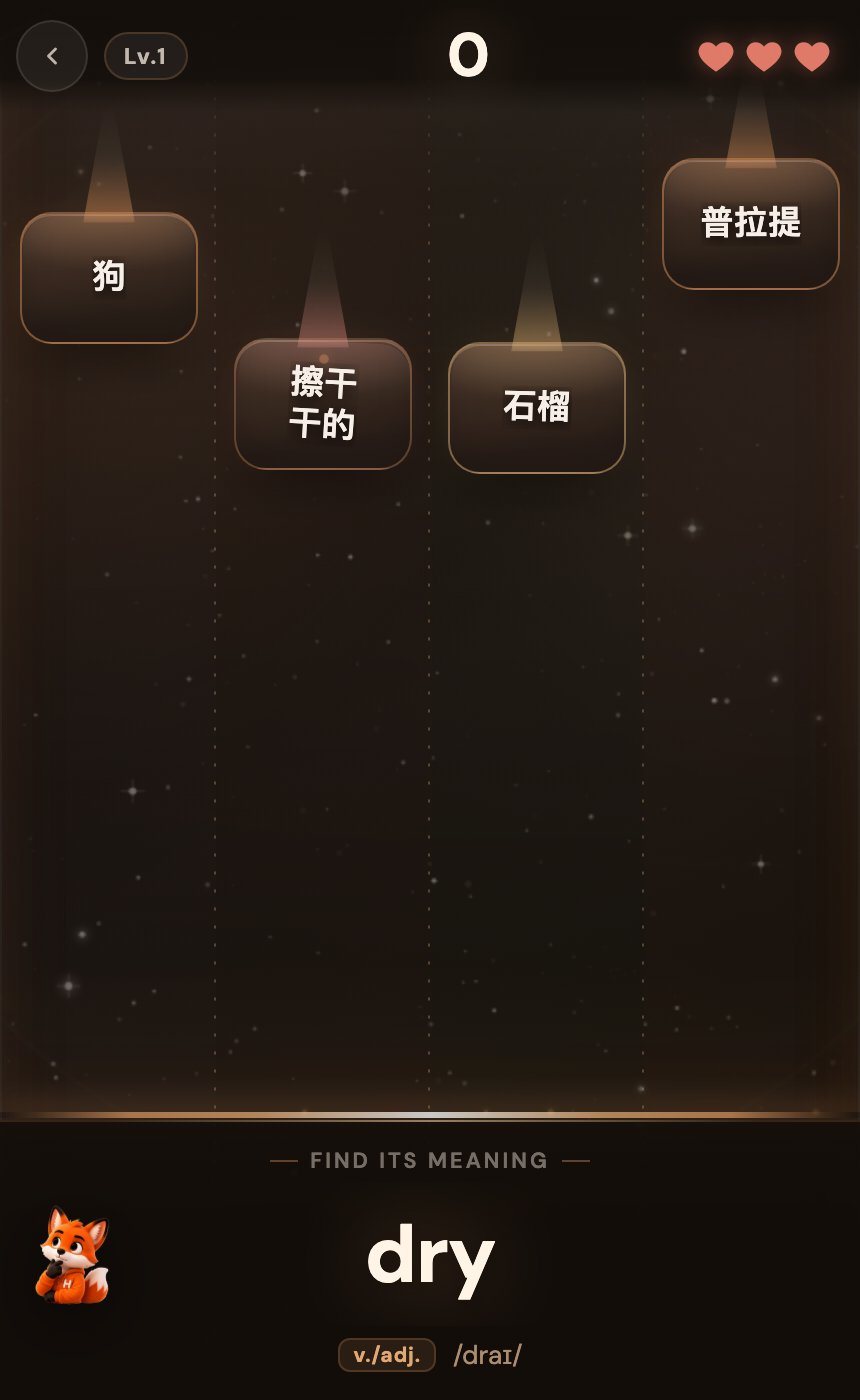
An English word waits at the bottom of the screen. Chinese meanings fall through four lanes. Find the match, tap it and read the next prompt: vocabulary recognition with a moving target.
- Web + in the iOS app
- Four lanes · three lives
- 8-hit combo activates FEVER
The short answer
Meteor is HiWord’s moving vocabulary-matching game. Read the English word at the bottom and select the falling tile with the matching Chinese meaning. It adds visual search and timing to word recognition. After playing, separate words you did not know from answers you knew but tapped too late, then review the vocabulary that actually needs attention.
How do you play Meteor?
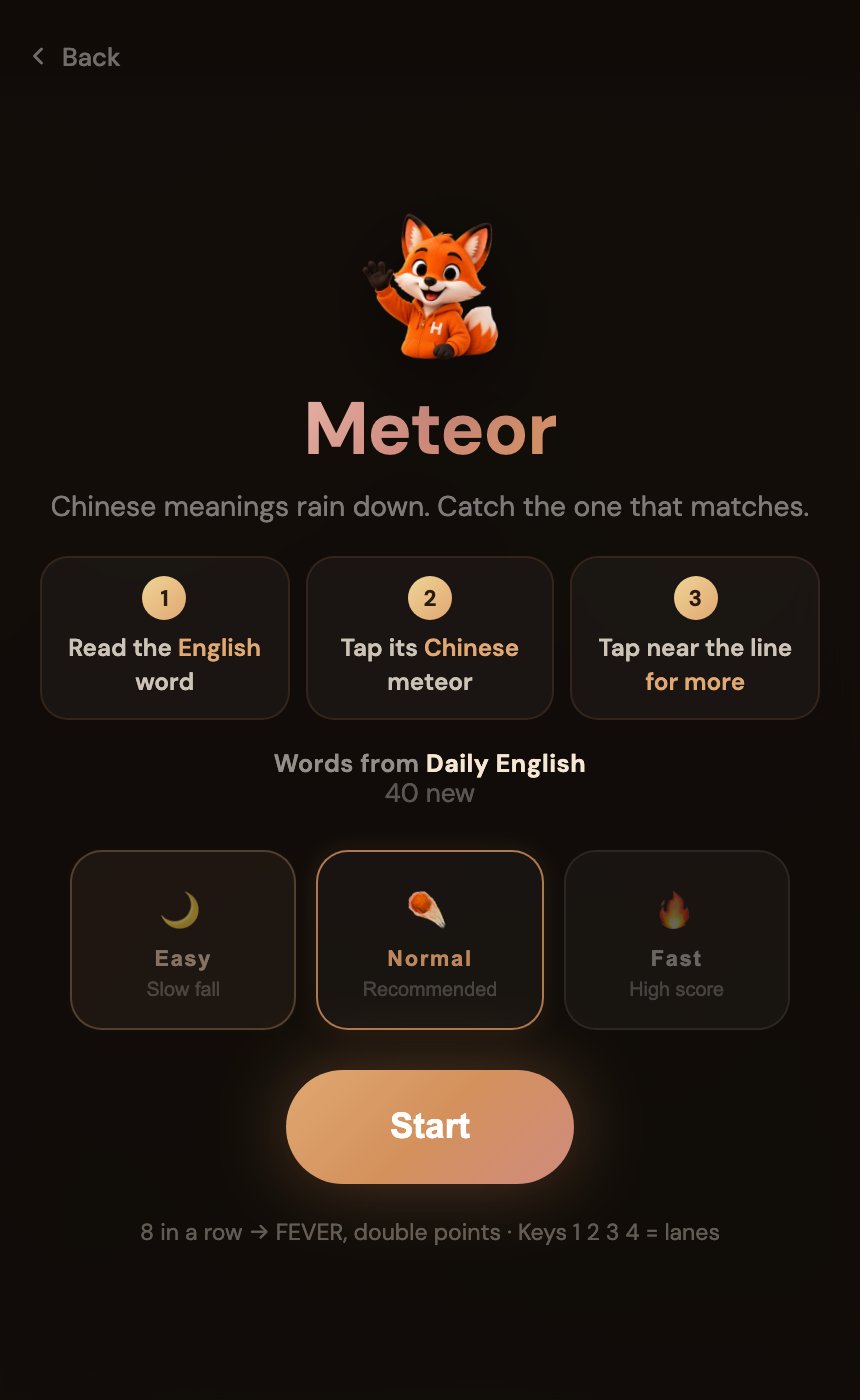
- Check the wordbook and difficulty.Meteor uses the wordbook selected on the learning home. Start with the slower Easy setting before trying Normal or Fast.
- Read the English prompt.Look for its Chinese meaning among four lanes. Read the prompt again after a hit: the target changes as the game continues.
- Tap the matching meteor.Use the touchscreen or keys 1–4 for the lanes on desktop. Get the meaning right before chasing a timing bonus near the judgement line.
- Watch your three lives.A wrong choice or an escaped target can cost a life. Losing all lives ends the session.
- Keep a combo going.Eight consecutive hits activate FEVER and double the points. Later levels increase the pace. The finish screen includes accuracy, best combo, elapsed time and words to review.
What does a mistake actually tell you?
An example, not a fixed level
The target is child. Falling tiles include 孩子 (child), 拉 (pull) and 醒来 (wake up). Select 孩子. When the next prompt appears, match that new word rather than following the lane you used before.
Losing a life can have several causes. Identifying the cause tells you what to practise next.
| What happened | Possible difficulty | What to do next |
|---|---|---|
| You did not know the meaning | Unfamiliar vocabulary | Look up the word and read an example |
| Two meanings seemed plausible | Confusion between meanings | Compare the words in sentences |
| You knew it but tapped late | Speed, position or controls | Lower the difficulty before judging your memory |
How does Meteor relate to vocabulary learning?
Each decision connects an English word to a meaning. Moving choices add visual search and timing, so even familiar items require attention. This makes the game a possible short follow-up to study, rather than the only place to learn what a new word means.
Meteor draws from your selected wordbook and mixes words in progress, studied words and upcoming items. Recently played words are moved back in the selection. This connects the game to your learning material, but a session is not a complete spaced-review schedule.
Fast matching is not the same as deep understanding.Recognising a translation does not establish knowledge of other meanings, collocations or pronunciation. To check recall, leave the game and explain the word without choices.
Retrieval-practice research informs the suggestion to hide the answer and recall it afterwards. It has not tested Meteor itself, and visual response speed is not a measure of English proficiency. See the research reference.
How can you make a short game useful?
Give the game a before and an after
- Before:learn a few words or finish your due reviews.
- During:choose a pace that lets you read; favour accuracy over timing bonuses.
- After:pick out genuinely unfamiliar words from the review list, separating them from simple tapping mistakes.
- Add a sentence:use one in a sentence about your life, such as “My child likes reading.”
- Return later:check the words through your usual review routine instead of only replaying immediately.
If movement makes concentration difficult, try WordStrike’s fixed answer choices or return to flashcards. Choose a format in which you can make considered decisions and want to continue.
Common questions
Is Meteor a listening game?
Its main task is visual word-meaning matching: read English and choose a moving Chinese meaning. It is not a listening-comprehension or pronunciation exercise. Use shadowing or AI conversation for further speaking practice.
How do I change the wordbook?
Change the selected wordbook on the HiWord learning home, then reopen the game. Meteor does not have a separate wordbook picker.
Why is my score low even when I recognise the words?
Timing, combos, difficulty and level affect points. Try a slower setting and check whether you can consistently identify the meaning. Score alone cannot assess memory or language proficiency.
Sources and editorial note
Karpicke & Roediger (2008), Science. DOI: 10.1126/science.1152408. Background on retrieval practice, not an evaluation of this game.
Rules checked against the HiWord implementation on October 25, 2026. Web images show actual local gameplay; the iOS image shows a demonstration round rendered by the app. Learning suggestions describe practice methods, not validated product outcomes. Written by the HiWord team.
After catching a meaning, try using the word in a sentence of your own.
Play a little, then return to learning with one specific thing to work on.
Play Meteor